
Short answer: yes. MRB's ESL management platform imports products straight from a CSV file, and it does more than a one-time load — you can batch-import thousands of SKUs, update product information, and push new prices across your whole store in a single pass. That one capability quietly removes a burden most retailers don't realize they are carrying: the endless, error-prone routine of re-printing paper tags and walking the aisles to swap them out whenever anything changes. Whether you run a single store or a chain, this is how you keep the price on the shelf equal to the price in your system — without adding headcount. Below, we look at how CSV import works, what batch updates mean for your daily workflow, and why the MRB electronic shelf label system makes both genuinely painless.
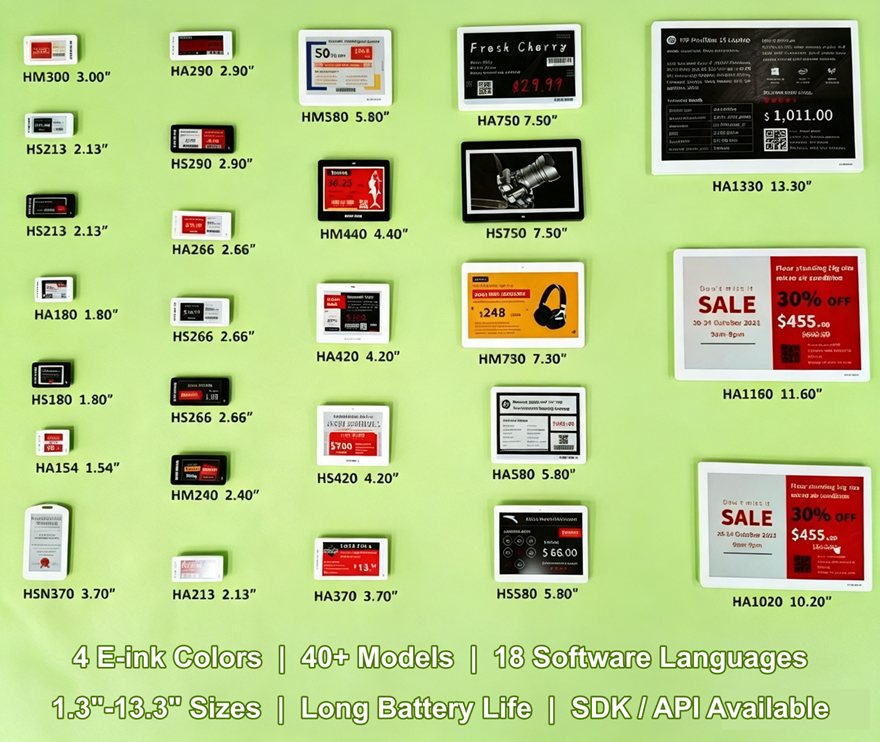
Table of Contents
1. CSV Import Is Built In — Not an Afterthought
2. Batch Updates: Change It Once, Update Everything
3. The Hardware That Keeps Up With Your Spreadsheet
4. Promotions, Accuracy, and the Wider Picture
5. Getting Started: What You Need Before the Import
1. CSV Import Is Built In — Not an Afterthought
The question we hear most often from retailers is whether the software can simply read the data they already own. It can. The MRB ESL software management platform accepts standard CSV files, so whatever you export from your ERP, POS, or inventory system — product names, SKU codes, prices, stock levels — comes in without re-keying a single line. You map your columns once, tell the system how your file is laid out, and the import does the rest. For stores juggling thousands of SKUs, that is the difference between a weekend of manual entry and an afternoon of clean, organized data. The import even flags mismatches and missing fields before anything reaches a shelf, so a typo in your spreadsheet does not silently become a wrong price in the aisle.
2. Batch Updates: Change It Once, Update Everything
Importing is only half the story. Once product data is in the system, keeping it current is just as fast. Raise a price, correct a product name, or mark an item for clearance — apply the change and every matching electronic label in the store refreshes within seconds. You are not editing one tag at a time; you are updating the entire store from a single screen. That matters for grocery and fresh food, where prices move daily, but it helps everywhere else too: a tax change, a supplier price hike, or a last-minute correction all reach the shelf the same day, not next week. The ESL software platform keeps an update history too, so you know who changed a price and when — handy for audits and for catching mistakes early.
3. The Hardware That Keeps Up With Your Spreadsheet
A management platform is only as good as the labels it talks to, and this is where the MRB ESL system pulls ahead. Our digital shelf labels use electronic paper displays — crisp and readable in direct sunlight — in sizes from 1.3 to 13.3 inches, so the same system covers small cosmetics and bulk grocery alike. The electronic shelf edge labels connect through our HA169 access points over Bluetooth LE 5.0, with 128-bit AES encryption, label roaming, and load balancing built in so updates never get lost when hundreds of E-paper price labels refresh at once. And because battery life is rated up to five years, automation does not quietly turn into a maintenance chore.
4. Promotions, Accuracy, and the Wider Picture
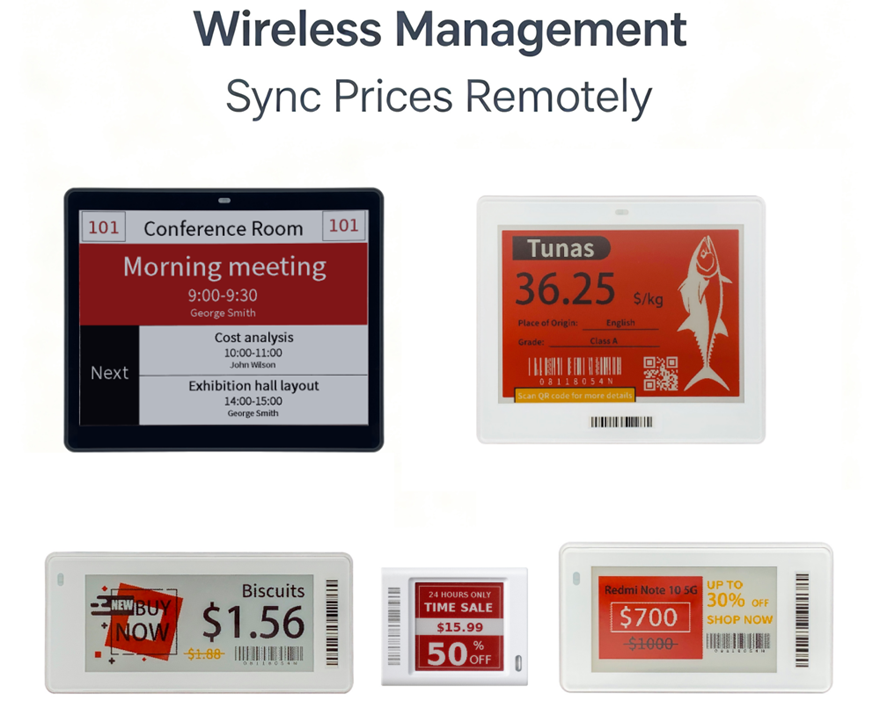
CSV import feeds more than the everyday price tag. Because our smart pricing display labels display four colors — white, black, red, and yellow — you can flag a sale block, highlight a "special offer," or draw attention to a clearance line without ordering custom printed signage. Pair that with a bulk update, and a storewide promotion becomes a two-minute task: load the new prices, hit apply, and every affected label updates at once. There is a compliance angle too. When the E-ink shelf price tag and the register price always match, you cut the customer disputes and regulatory fines that come from mismatched pricing. The whole software platform is cloud-managed, so whether you operate one store or twenty, the same price file reaches every location the same way.
5. Getting Started: What You Need Before the Import
Adopting CSV import does not require a technical overhaul. In practice you need three things: a clean product file, a one-time mapping step, and E-ink electronic price tags ready to receive the data. Most retailers already have the first — their ERP or POS export includes the fields the E-paper labels display, like name, SKU, price, and often a promotional price. The mapping step takes minutes and only needs to be done once per file format. From there, adding a new supplier's line or a new store's assortment is a matter of dropping in a file. The MRB team can also work with your format on request, so an unusual ERP does not mean reshaping your data to fit the system.
6. Conclusion
So, can our ESL management software import product and price data from a CSV file? Yes — and that is really the point of the MRB ESL system. The import handles the data you already have, batch updates move prices across the store in seconds, and the hardware — E-paper price tag labels for shelves, BLE gateways (base stations), multi-year battery life — makes sure those changes actually land on the shelf. If you would like to test the import with your own product file, send it over and we will walk you through it — or book a quick demo and see the full workflow for yourself.

Author: Lily Updated: August 27th, 2026
Lily is a transit technology product specialist at MRB Retail with over 10 years of hands-on experience supporting public transit fleets with APC, mobile DVR, and vehicle surveillance hardware deployments across Europe, Southeast Asia, and North America, etc. She regularly creates educational technical content to help transit operators navigate sensor integration, protocol configuration, and fleet data analytics best practices, specialising in simplifying complex 3D passenger counting technology for non-specialist fleet management teams.
Post time: Aug-27-2026